No theme to edit
Sierra builds the pages itself. The only places to add code are content boxes, shared widgets, the Agent Bio field and one site-wide head code box.

Case study
Charlottesville Luxury Homes wanted a team page and agent profiles that matched a luxury brand. Their site runs on Sierra Interactive, where there is no theme to edit, and a second website shares the same agent bios.
The challenge
On WordPress, a new team page is a normal design job. Sierra Interactive is a real estate CRM that also runs the website, so almost every usual tool was missing.
Sierra builds the pages itself. The only places to add code are content boxes, shared widgets, the Agent Bio field and one site-wide head code box.
The Agent Bio editor removes style blocks when it saves, so the old sidebar, a duplicate name and photo header, Sierra’s own agent list and a “Language Spoken” filter kept showing through.
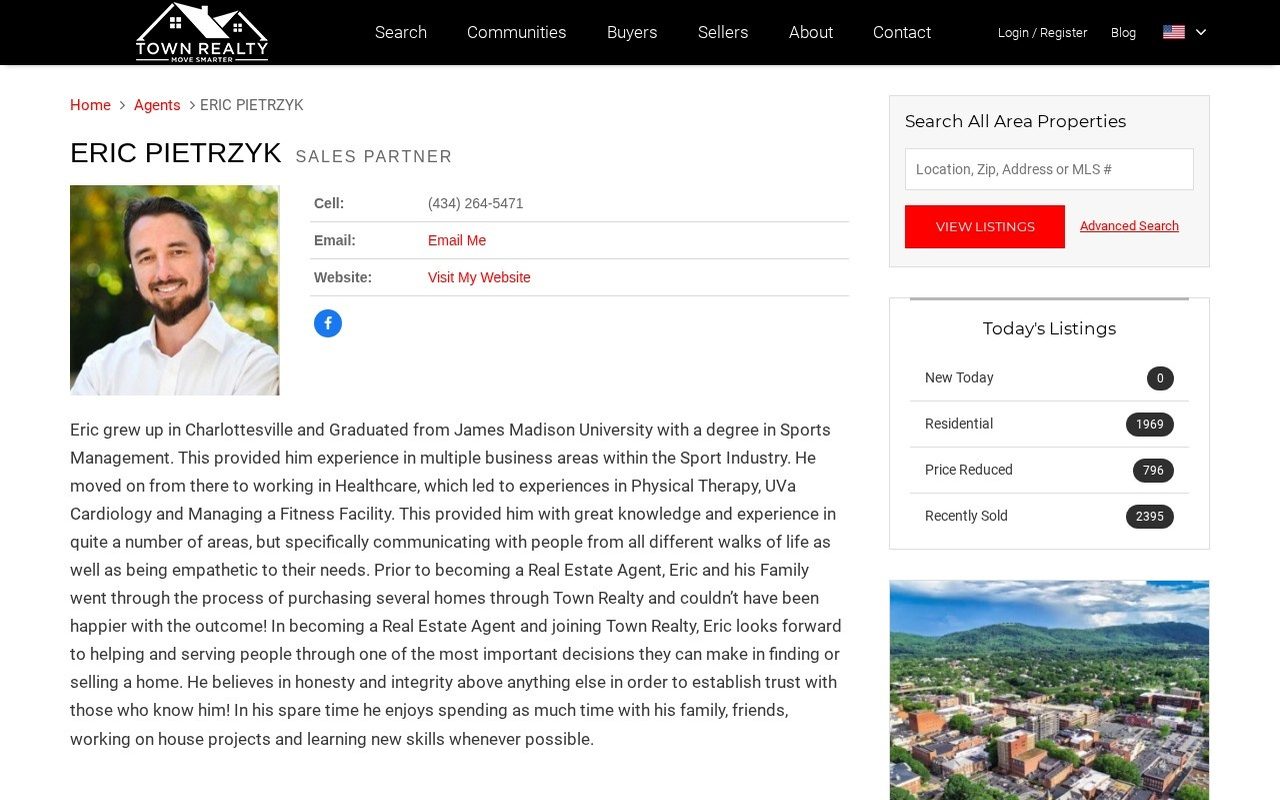
The same CRM account also runs towncville.com. Each agent bio is a single field that both sites display, and the client wanted the new design on Charlottesville Luxury Homes only.
Sierra stores headshots at 300×300 pixels, the team page had placeholder photos showing as broken images, and the team lead’s videos sat behind links that did nothing.
The key idea
We couldn’t give each site its own bio, so each bio now holds both versions. A short CSS block that exists only on Charlottesville Luxury Homes decides which one shows.
The solution
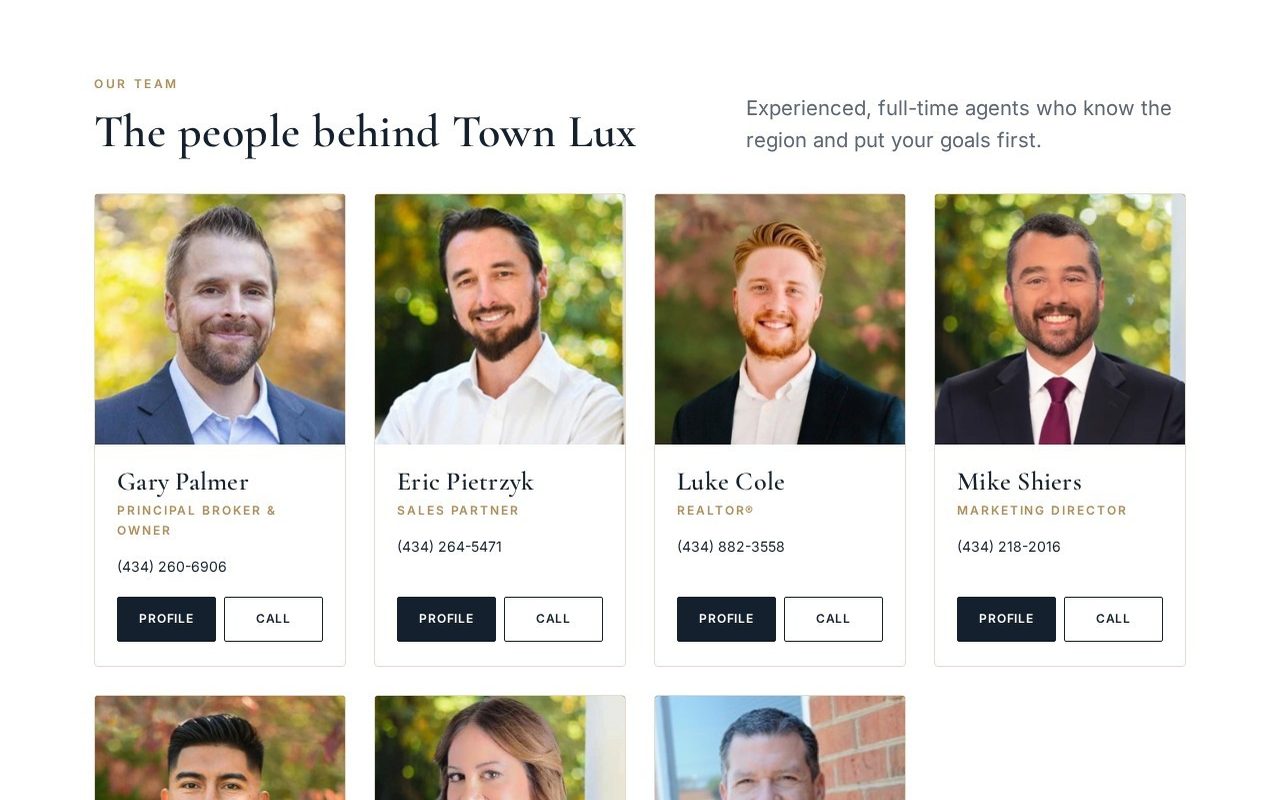
We built the new team page (an opening banner, three value boxes, a grid of 7 team cards and an office contact strip) as a Sierra Shared Widget, so the editor can’t strip the code.
We replaced the placeholder images with each agent’s real headshot and used the titles from their own profiles instead of guesses.
Sierra’s agent list, the “Language Spoken” filter and an old paragraph are hidden with CSS that applies to this page only. Nothing was removed from the CRM.
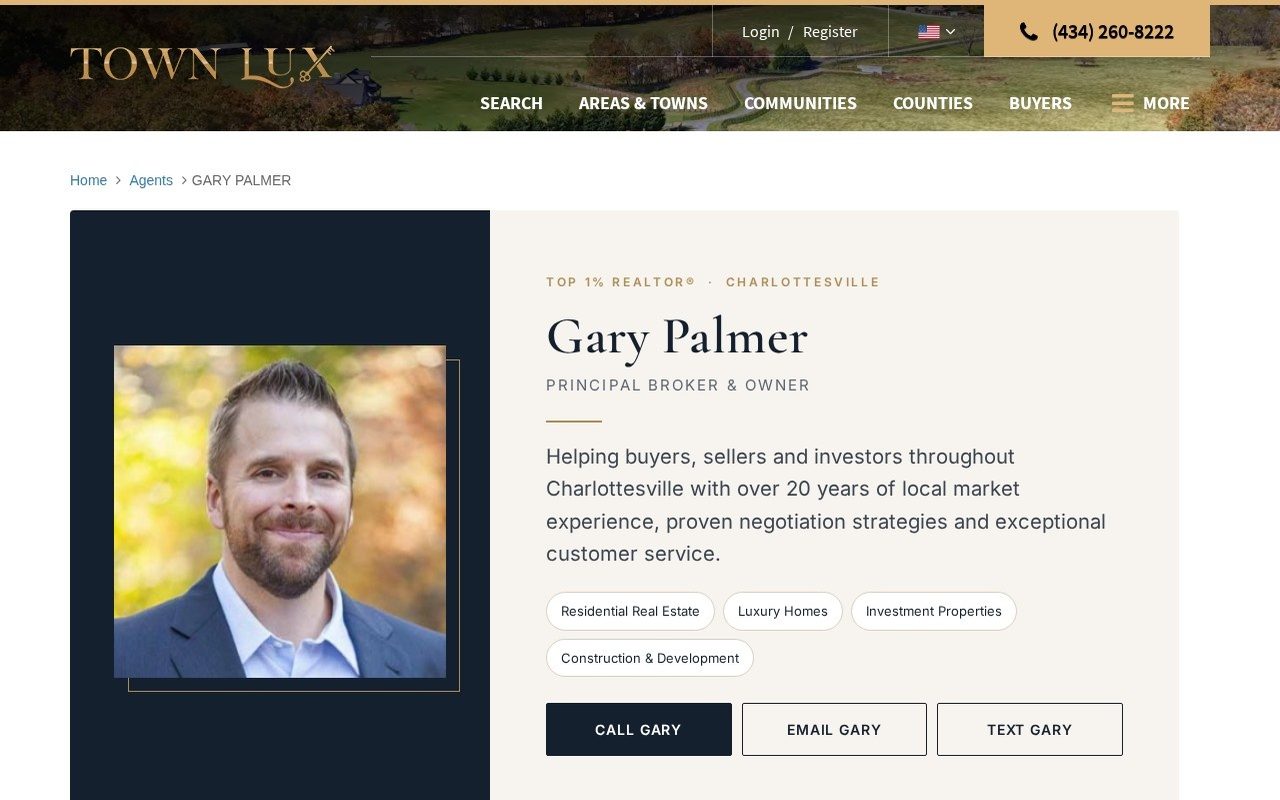
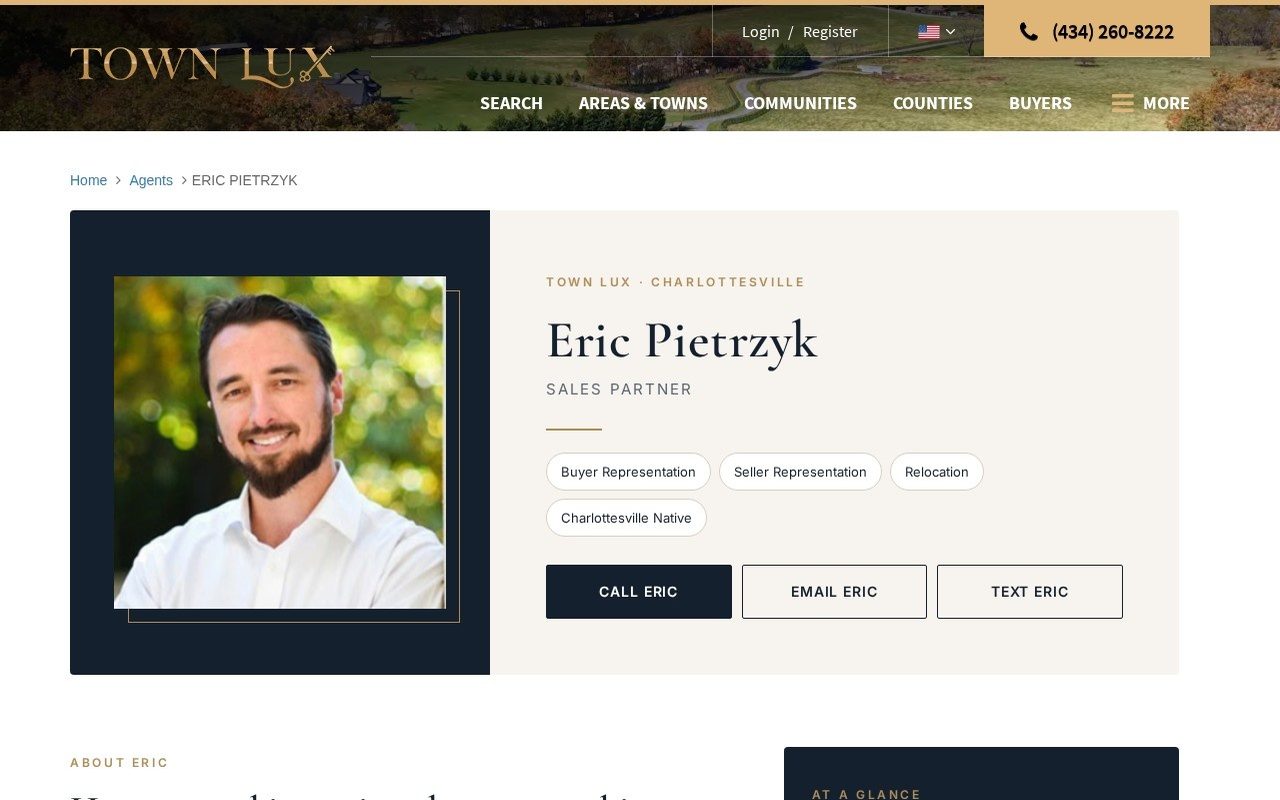
Each profile has a large headshot, title, specialty tags, Call, Email and Text buttons, the agent’s bio, an “At a Glance” box, areas served and a closing call to action.
Each bio carries the new design and the original bio. A CSS block in Charlottesville Luxury Homes’ head code shows the new design and hides the sidebar and duplicate header. towncville.com never sees it.
The team lead’s page was about 50,000 characters of stats, experience, areas of expertise, awards, testimonials and videos. All of it was kept and restyled, and the videos now play on the page.
Sierra wraps every embedded video in its own 16:9 box, which left an empty block above each video. One CSS rule, limited to the new agent designs, fixed it.
We checked every agent on both websites and every page at 390 pixels wide, and listed every line of new text so the client could check it with each agent.
Screenshots
The result
A design that fits a luxury brand, on the one website that needed it, without breaking anything on the other.
Services used
We set up and manage IDX Broker and other IDX search on real estate websites, with matching headers, footers and menus, and fix the layout issues embeds cause.
Learn moreCustom WordPress websites for garage door, roofing, locksmith and home service companies. Fast, mobile-first sites built to turn visitors into phone calls.
Learn moreWe set up, integrate and manage GoHighLevel for contractors: pipelines, missed-call text-back, follow-up workflows, review requests and website form integration.
Learn moreFAQ
Questions about this project
Yes, within limits. Sierra doesn’t give you a theme, but you can add custom HTML and CSS through content areas, shared widgets, agent bios and the site-wide head code. We used all four on this project.
Yes. Here, each agent bio holds two versions and a CSS block that exists on only one website decides which version shows. The other website keeps the original bio.
The design doesn’t change any Sierra files. It lives in the content areas Sierra provides, and it can be switched off by removing one CSS block, so it’s easy to check and repair after an update.
Sierra stores headshots at that size. The new design shows them as a sharp framed portrait instead of stretching them. Larger photos need higher-resolution uploads from the agents.
Yes. Besides WordPress, we customize CRM-based real estate websites. Send us your site and tell us what you’d like to change, and we’ll tell you what’s possible.
Send us your website and tell us what you want to change. We’ll tell you honestly what’s possible and what it would take.